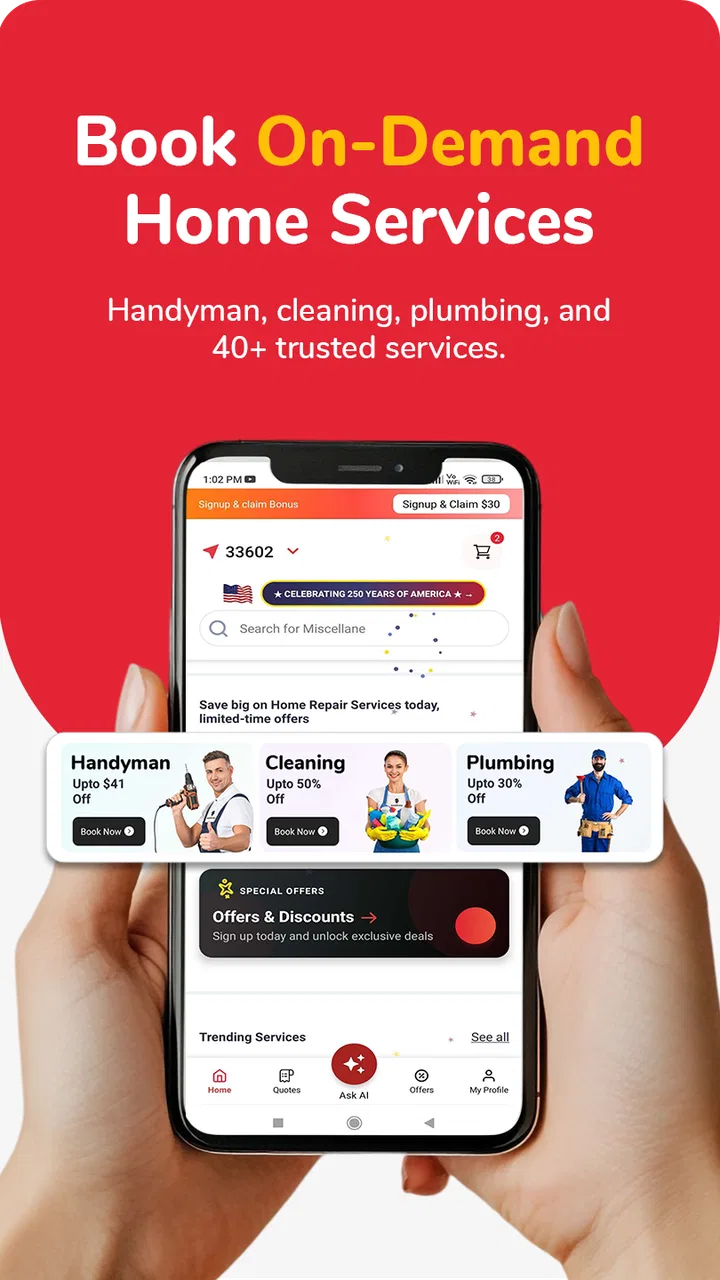
InstaService: Home Services
- 4.5
- Rating
- 10.00K
- Installs
- Free
- Price

 Analysis by App-foxy
Finding someone to fix a leaking tap, clean a room, or handle a small repair is often harder than the job itself. InstaService is a free House & Home app from InstaService that puts those kinds of requests into a mobile service-booking experience. I found its appeal quite straightforward: instead of relying only on a search engine, a neighborhood group, or a phone contact saved years ago, I can begin looking for a nearby home-service professional from one place.
The app is aimed at ordinary household tasks rather than specialist project management. Its focus covers handyman work, repairs, cleaning, plumbing, and other services around the home. That makes it most useful when something needs attention soon but does not justify a long search. The experience is also closely tied to connectivity, because the practical value comes from communicating a request and arranging help rather than simply reading static information.
With a 4.5 average from around one hundred ratings and more than ten thousand installs, it has attracted a modest but meaningful early audience. I would describe it as a useful convenience tool, not a complete replacement for personal judgment. The app can make the first step easier, but I still want to understand the work involved, the timing, and the person handling it before treating a booking as settled.
You May Also Like

 Pandora - Music & Podcasts
Pandora’s Music Is Easy to Start, but Harder to Recover
Pandora’s strength is its low-effort path from a seed to a station. Its weak spot is how much confidence it asks you to place in connection, setup, and quiet recovery.

 AccuWeather: Weather Radar
AccuWeather Review: A Quick, Clear Forecast for Everyday Decisions
For everyday plans, the best forecast is the one you can understand quickly. AccuWeather makes rain timing, radar, and local conditions easy to act on, with a few trade-offs.

 Hill Climb Racing
Why Hill Climb Racing Still Turns Crashes Into One More Run
A tiny car, a bumpy hill and one more upgrade: Hill Climb Racing keeps resurfacing because its simple chaos makes every near-miss feel personal.

 AliExpress - Shopping App
AliExpress Makes Global Shopping Feel Personal, but Shoppers Bear the Risk
AliExpress turns a global marketplace into a pocket-sized discovery engine. Its reach is useful, its shopping loop compelling, and its trade-offs easy to miss.

 Lords Mobile: Kingdom Wars
Lords Mobile Is a Kingdom-Building Routine, Not a Quick Match
A case-by-case verdict on the building, battles, device demands, and social commitments that make Lords Mobile rewarding for some players and exhausting for others.

 PDF Scanner app - TapScanner
TapScanner Makes Paperwork Easier to Capture, Check, and Share
TapScanner makes scanning with a phone feel less like a rescue operation and more like a dependable step in getting work done. Its capture tools are useful, though not flawless.
More From Our News Desk
View All News


How InstaService fits into a real home-service problem
I find InstaService most useful when a household issue is clear enough to describe but I still need help figuring out who to contact. Before opening the app, I would separate what I’ve observed from what I’m guessing about the cause; that small distinction can make the first exchange more useful and prevent the request from being framed as the wrong kind of job.
Starting with the job, not the search
The strongest idea here is that I can begin with the household problem itself. If a pipe is dripping, a room needs cleaning, or a general repair has appeared on my weekend list, the app gives me a direct route toward arranging help. That is more practical than searching several unrelated listings and trying to decide which category each provider belongs to.
I would use it when the task is clear enough to describe but not necessarily important enough to build a large comparison spreadsheet. A loose fixture, a small maintenance job, or a routine cleaning request fits this pattern well. The app is less convincing as the only tool for a major renovation, an emergency involving safety, or work that requires formal inspection. Those situations call for more verification than a quick mobile booking flow can provide.
One useful habit is to prepare the request before opening the app. I would note the room, the visible symptoms, approximate dimensions when relevant, access restrictions, and whether someone will be at home. This reduces back-and-forth messages and gives a service professional a better chance of understanding the job. It also helps me notice when the task is too complicated to describe responsibly through a short request.
Why the network matters at the exact moment I need help
The app’s useful moments are network-dependent in a very practical way. When I am trying to find a service near me, submit a request, or coordinate timing, the experience depends on current communication. A weak connection can turn a simple booking into uncertainty: a screen may take longer to update, a request may not appear immediately, or I may be unsure whether I should try again.
That means I would avoid sending a request repeatedly just because the first response feels slow. Before retrying, I would check whether the action appears to have completed and whether a confirmation or updated status is visible. Duplicate requests could create unnecessary confusion, especially if more than one professional receives what I intended as a single job.
This is also why I would not wait until the last minute for a non-urgent task. A connected service app is most comfortable when I leave enough time for a provider to respond and for me to clarify the details. If the issue is urgent, such as active water damage or an electrical concern, I would use the fastest reliable local option available and treat the app as a possible convenience rather than my sole emergency plan.
Using it while moving around the house
InstaService makes the most sense on a phone because household problems rarely happen while I am sitting at a desk. I might notice a plumbing issue in the kitchen, take a closer look, and start arranging help from the same device. That mobile context is convenient, but it also creates a temptation to rush through important information.
I prefer to inspect the problem first and then use the app. A quick photo or a careful description can make a request more useful, when the app’s available workflow allows that kind of detail. I would also check the exact location and access instructions before submitting anything. For an apartment, for example, a provider may need building-entry information; for a house, a gate, parking, or pets may affect the visit.
There is a trade-off between speed and completeness. A short request is faster, but an overly vague one can lead to extra messages or an unsuitable match. I found that the best mobile workflow is to write a compact but specific summary: what is wrong, where it is, how long it has been happening, and what kind of help I expect. That takes little time and gives the conversation a useful starting point.
A realistic everyday scenario
Imagine discovering a slow leak beneath the kitchen sink before leaving for work. I would first shut off the local valve if it were safe, place a container underneath, and inspect whether the issue looked like a loose connection or something more serious. I would then use InstaService to look for plumbing help rather than spending the morning calling several numbers.
At that point, the app is valuable because it organizes the initial request while I am already dealing with the problem. I could explain that the leak is beneath the sink, mention whether the water supply has been stopped, and state when someone can provide access. I would keep the description factual instead of claiming to know the exact cause. A professional can then decide whether the job is appropriate for a routine visit.
If the connection became unreliable, I would not assume that silence meant the request had failed. I would save the details in a note, verify the app’s visible status when the connection returned, and keep a backup contact method ready. That small amount of preparation is important: the app can simplify coordination, but it cannot remove the consequences of a real leak.
What happens when communication does not go smoothly
Any service-booking experience has a recovery problem. A provider may respond later than expected, a request may need clarification, or the original description may turn out to be incomplete. I would treat the first submission as the beginning of a conversation, not as proof that the job is already solved.
When something appears stuck, my first step would be to confirm the network connection and reopen the relevant screen rather than repeatedly tapping the same control. I would also keep the original wording of the request available. If I need to contact support or explain the problem to a professional through another channel, having the exact details prevents me from reconstructing everything from memory.
Another sensible recovery step is to separate the technical issue from the household issue. If the app is not updating, I still need to keep the leaking pipe contained, the broken fixture isolated, or the room prepared for cleaning. I would not let a booking screen replace basic precautions. For larger or riskier jobs, I would also confirm the appointment details directly before allowing work to begin.
Questions I would settle before accepting help
The app can help me find a route to a service, but I would still ask practical questions before committing. What exactly is included in the visit? Is the request for diagnosis, labor, cleaning, or a particular repair? Does the professional need special access, equipment, or preparation? These questions protect both sides from a mismatch.
I would also clarify timing in plain language. “Today” can mean several different things, while a specific arrival window is easier to plan around. If I cannot be present, I would decide whether another trusted person can provide access and whether valuables or sensitive areas should be secured first.
For plumbing, electrical, structural, or other potentially hazardous work, I would be especially cautious. A convenient booking path does not by itself establish that a person is qualified for every kind of task. I would use the app for the connection, then apply the same common sense I would use with a recommendation from a neighbor: explain the job, confirm the arrangement, and stop if the proposed work does not match the problem.
Connectivity, privacy, and careful mobile habits
Because the service involves a home visit, I would avoid sharing more personal information than necessary in the first request. The professional needs enough detail to understand the job and reach the property, but I would not include unrelated household information. I would also be selective with access instructions, giving only what is needed for the agreed appointment.
Using the app on mobile data is convenient, especially when I am away from home and notice a problem through a call or message from a tenant. Still, I would keep descriptions concise and avoid sending repeated updates just to check whether the service is responding. Short, well-organized communication is easier to review and less wasteful than a stream of partial messages.
On a limited connection, I would prepare text first and send it once. I would avoid switching between several screens unnecessarily, and I would wait for visible confirmation before assuming an action went through. These are small habits, but they matter more in a service app than in a casual browsing app because an accidental duplicate or incomplete request can affect another person’s schedule.
I would also use a stable connection whenever possible for the final coordination stage. A public or unreliable network may be acceptable for browsing, but I would prefer a trusted connection when sharing an address, access instructions, or appointment details. That is not a special feature of InstaService; it is simply the safer way to handle information connected to my home.
Who will appreciate this app most
I think InstaService is best for people who want a simpler starting point for routine household help. Renters dealing with minor maintenance, busy families arranging cleaning, older users who prefer a guided mobile route, and homeowners who do not already have a dependable contact list could all find it useful.
It is also a good fit for someone who values convenience over building a long-term relationship with one individual provider. Instead of keeping separate contacts for cleaning, plumbing, and general repairs, I can begin in one service-oriented app. That does not guarantee that every request will be equally easy, but it reduces the effort involved in getting started.
I would be more cautious about recommending it to someone who expects a detailed contractor marketplace with extensive project planning, formal quotes, deep provider histories, or specialized compliance information. For a major home improvement project, a dedicated contractor, a local trade association, or a personal referral may be a better route. The app’s strength is the first connection for everyday needs, not replacing every layer of professional due diligence.
How it compares with the usual alternatives
The most obvious alternative is a search engine. Searching the web can produce more results, but it often leaves me sorting through advertisements, outdated pages, and businesses that do not clearly serve my area. InstaService is more focused on turning a household need into a service request, which can feel less scattered.
Neighborhood groups and personal recommendations have a different advantage: trust and local context. A neighbor may know who did reliable work in a particular building or street. Those recommendations can be better for repeat jobs, but they are slower when I have just moved, do not know many people nearby, or need several categories of help. I see InstaService as a useful complement rather than a universal replacement for local knowledge.
Calling a familiar tradesperson is still better when I already trust that person and know exactly what they handle. A direct call can also be preferable when the matter is urgent or technically complex. The app earns its place when I need discovery and coordination, especially for a task that is important but not serious enough to justify a more elaborate search.
What I would check before making it part of my routine
Since the app is free and rated for Everyone, trying the basic experience is relatively approachable for a broad range of households. I would still review each request carefully rather than assuming that a simple interface means a simple job. The current version is 1.1.2, so I would keep the app updated through the normal app-store process to benefit from fixes and improvements as they become available.
The minimum operating-system requirement is Android 7.0, which makes the app accessible on many older Android phones. That is helpful for households that do not replace devices frequently. On an older phone, however, I would be patient if screens take longer to load, particularly when the network connection is also weak. The combination of an aging device and poor connectivity can feel like an app failure even when the real problem is the environment.
I would also decide in advance what “success” means for the request. Is it finding someone to inspect the issue, arranging a cleaning visit, or completing a repair? Defining that before using the app helps me judge whether the service actually met my need rather than confusing a quick response with a finished job.
My connectivity verdict
InstaService works best when I treat it as a connected bridge between a household problem and a possible service professional. Its value rises when I need a convenient starting point, have enough time to communicate clearly, and can verify the arrangement before work begins. The mobile format suits the moments when I am already walking through the home and need to act without opening a laptop or searching through old contacts.
Its limits are just as important. A weak network can interrupt the flow, and the app cannot substitute for emergency procedures, professional judgment, or careful confirmation of a job. I would not rely on it alone for dangerous situations, major renovations, or work where credentials and detailed estimates are central to the decision.
Overall, I would recommend the free app to a friend who wants a practical way to begin arranging cleaning, plumbing, handyman, or repair help nearby. I would advise that friend to prepare a precise request, avoid duplicate submissions during connection delays, protect home-access information, and confirm the details before the visit. Used with those habits, InstaService is a sensible convenience layer for everyday home maintenance rather than a promise that every service problem will be solved automatically.
FAQs for InstaService: Home Services
01What is InstaService: Home Services, and what can I use it for?
InstaService: Home Services is designed to help users find and request household services from their mobile devices. Depending on the providers available in your area, you may be able to arrange assistance such as cleaning, repairs, maintenance, moving help, beauty services, or other everyday tasks. The exact categories and availability can vary by location, so check the service list before booking.
02How do I book a service through InstaService?
After opening the app, you generally select the type of service you need, enter your address or service location, choose a convenient date and time, and provide any relevant instructions. Available professionals or service options may then be displayed for you to review. Before confirming, carefully check the description, estimated price, appointment details, cancellation terms, and any additional charges that could apply.
03Are the service providers on InstaService trustworthy and verified?
The app may provide profiles, ratings, reviews, or other information to help you evaluate available professionals, but users should not assume that every provider has the same level of experience or verification. Before accepting a booking, review the provider’s profile and customer feedback, ask questions when possible, and confirm the scope of work. For expensive or sensitive jobs, request qualifications or insurance details directly.
04How much do services cost, and how is payment handled?
Pricing depends on the service category, location, job complexity, materials, duration, and the professional you select. Some requests may show a fixed price, while others can require an estimate or final quote after the provider reviews the details. Check whether taxes, travel fees, materials, platform charges, or tips are included. Payment methods and billing procedures may also differ according to your region and the selected provider.
05What should I do if I need to cancel a booking or have a problem with the service?
Cancellation and refund options usually depend on when you cancel and on the provider’s individual policy. Open your booking details as soon as possible to review the applicable terms and contact the provider or app support if changes are needed. If the work is incomplete, late, damaged, or different from what was agreed, keep messages and photos as evidence and report the issue through the available support channels.
Pros
- Conveniently compares multiple home-service providers in one place.
- Useful for booking cleaners
- repairs
- and other household tasks quickly.
- Provider profiles can help users choose based on ratings and service details.
- In-app communication makes it easier to discuss job requirements.
- Suitable for users who prefer arranging services from their phone.
Cons
- Service availability may vary significantly by location.
- Prices can differ between providers and may change after inspection.
- Response times depend on the individual professional you contact.
- Not every listed provider may offer the same level of service quality.
- Users may need to share home details to receive accurate quotes.

InstaService: Home Services
Gallery